
💡 Key Insights:
A common sentiment in the SEO industry is that you should be trying to improve your visibility within Bing in order to directly influence LLMs.
Most of this advice comes from an understanding that LLMs (such as ChatGPT) will utilize Bing search results as grounding data to use as citations within their output.
Within Google’s ecosystem for Ecommerce AI SEO, Google has frequently reiterated that your approach for optimizing for AI Mode and Gemini should not differ from standard SEO practices.
With ChatGPT’s growth trajectory, this has forced SEOs to reflect back on their strategies with respect to Bing, in an attempt to have greater control over the output. With ChatGPT increasingly using product feeds as a data source, it is logical that we should be focused on ensuring Ecommerce AEO strategies involve Microsoft Merchant Center.
In recent months, I’ve been spending a considerable amount of time in Microsoft’s Merchant Center to understand how approaches may differ from Google’s Merchant Center, and what eCommerce stores can do with product feeds to maximize their visibility in LLMs.
How to Access Microsoft’s Merchant Center
In order to access Microsoft’s Merchant Center, you will first need to create a Microsoft Advertising Account. This is a requirement due to it being an integrated tool within the advertising platform, rather than a standalone application.
Within the ‘Tools’ section, you have the ability to select their Merchant Center and pin it to your dashboard for ease of access. Here’s what this looks like once the extension has been pinned:
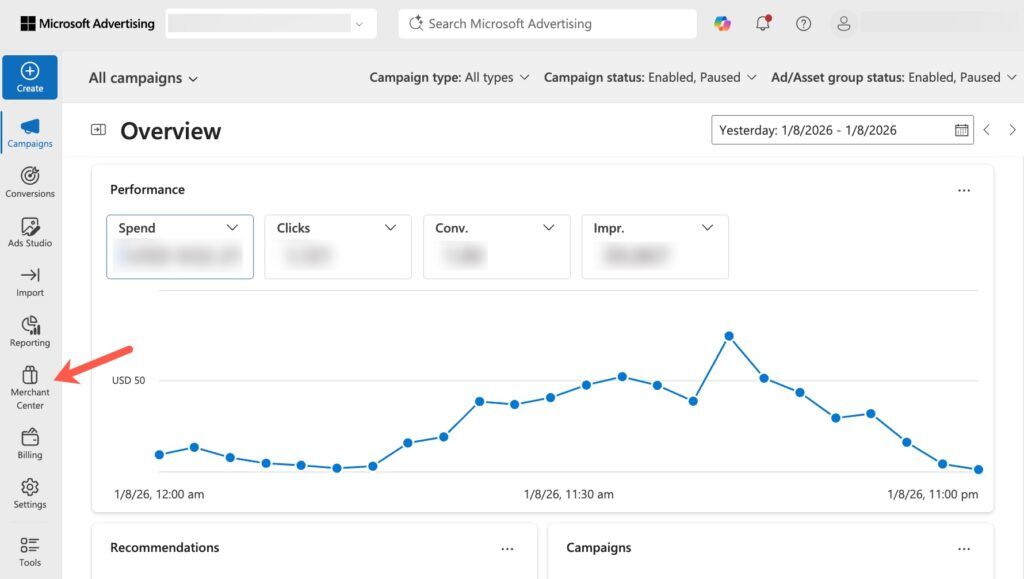
Once you’ve worked your way through the onboarding process, you’ll then be able to create your own store by verifying your domain name via Bing Webmaster Tools or other methods, then filling out the store details such as the currency.
💡 Tip:
When setting up your Microsoft Advertising account, it is important that it is verified under the correct business entity. When gaining access to a new client account recently, their account was not verified under the correct entity (even though feeds were seemingly validated), so we ended up needing to open up a completely separate account, which was very time-consuming and ended up setting back our progress considerably.
Importing Feeds from Google Merchant Center
For most eCommerce stores that are looking to get a Microsoft Merchant Center account in place, it is highly likely that you will already have a Google Merchant Center account.
Similar to other Bing-related tools (such as Bing Places and Bing Webmaster Tools), you’re able to directly attach data from your Google accounts and transfer it over to Bing’s systems.
After going to Tools > Merchant Center > Store, you’re then able to access an ‘Import’ tab where you’re able to import from Google Merchant Center through the Google account that it is attached to.
You’re then able to select the specific Google Merchant Center account that you want to source from, where you’re able to choose your target catalog or create a new one for Microsoft (importing all products or a specific subset of products).
Once set up, the initial import can take up to 24 hours after it has been configured correctly, where you’ll see a report similar to Google’s Merchant Center that will show you how many of your individual offers have been validated and which issues are present:
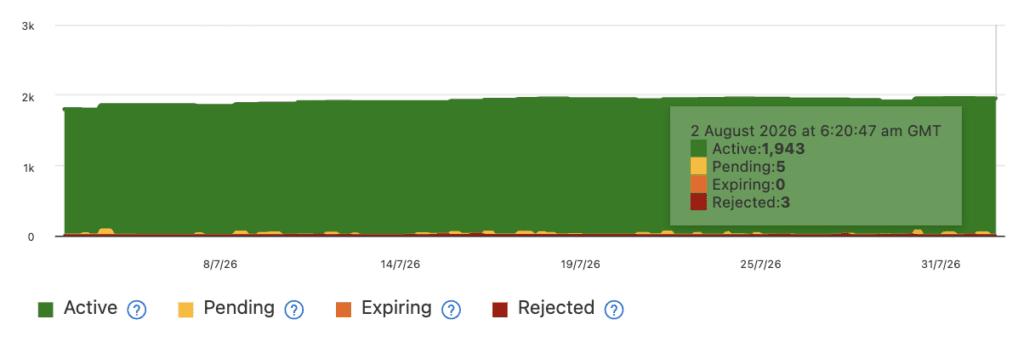
Similar to Google, having your products be validated within the system doesn’t mean that your products will show within free product listing surfaces, with there being an interesting case study on this topic that I’ll cover toward the end of this guide.
Bing Free Product Listing Reporting
Within Microsoft Merchant Center, you will first want to check the ‘Product listings’ tab within ‘Settings’ to ensure that you have enabled your products to show within the Bing Shopping tab.
According to the notice that appears within this section of the dashboard, to have your products show within the free product listing results in the Shopping tab, your products must be submitted and approved with Microsoft Merchant Center and comply with their advertising policies.

Google has a similar setting to this in their own Merchant Center that I have noticed wasn’t enabled for new client accounts in the past (preventing them from showing in free listings), so I would highly recommend checking that this setting is enabled as a priority if you have gained access to a new account.
Again, similar to Google Merchant Center, there are reporting views within ‘Product performance’ for both free product listings and also for ads. There is a report for clicks and another for impressions where you can filter among each marketing method, though you are unable to alter the date range (it defaults to the past 30 days):

Within this reporting view, the pink filter for ‘product listings’ is for the free listings surface. At the time of writing this article, there appears to be a bug with the reporting, where I’m only able to see free product listing impressions going back to July 6th:

This type of issue has to be one of the most frustrating aspects of working with Microsoft products for SEO, where they are infrequently used, so bugs like this take quite some time to be discovered and resolved by the Microsoft Ads teams.
I know that the reporting error shown above (where tracking stops) is in fact an error because I can see it across multiple unrelated accounts which have products that are clearly showing within the Bing Shopping tab free listing results.
Within Bing, it is solely the Shopping tab where it is said that the free product listings reporting is related to. Depending on which region you’re searching from, results within the Shopping tab will tend to look something like the below.
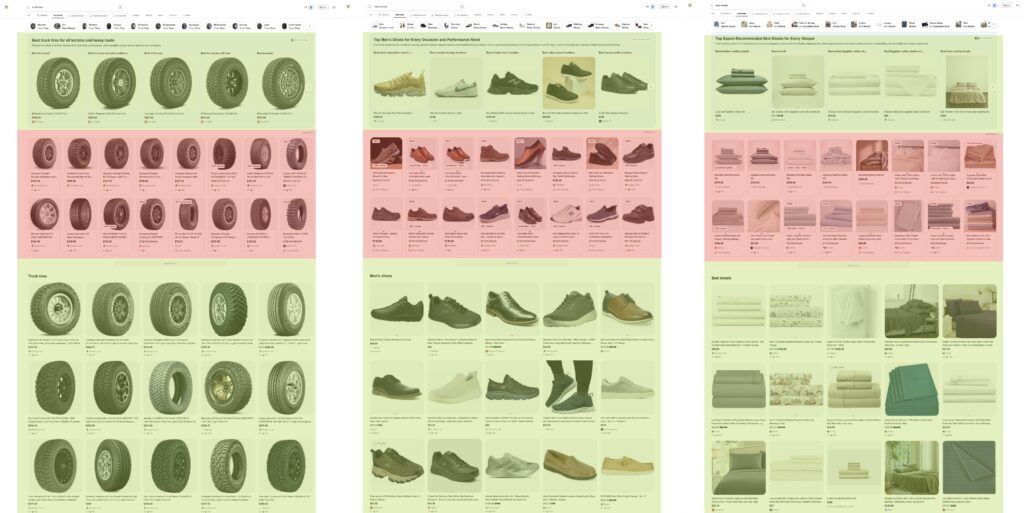
There will often be a section at the top for organic products, followed by a unit of ad products that are smaller to fit many items on two lines on desktop, followed by a more lengthy block of organic listings lower down the page.
There are then various other units that can appear within the ‘All’ tab (similar to Google) that can connect you with Bing’s AI results. While paid results are labelled with a very subtle ‘sponsored’ tag, it can be quite difficult to make out whether a result is related to a paid feature or not at a quick glance.
And even when you click an organic result, you’re often met with a significant amount of ads via that free listing results page, something that Google has even started to do more recently, though their ad labels are a lot more easily identifiable.

It is also not uncommon to click what looks like a free listing result within the main section of Search, for there to only show a single ad on the product result that is visible, something that Google never does within their own free listing surfaces (an organic result will always show alongside the sponsored result).

Although Bing’s “free product listing” result reporting feature set only relates to the Shopping tab by definition, there is an assumption that the same data source (product feeds) is what powers their free product listing results across the various surfaces within their systems.
Case Study: Do Ads Influence Free Product Listings?
The Theory
A suspicion I’ve had with Google’s Merchant Center is that there is a requirement for ads to be enabled before they start sending you any kind of meaningful amount of free listings traffic.
This theory is something that I’ve had for years now, after working with many different clients within the eCommerce sector and seeing how free listing traffic changes correlate with changes to ad budgets within Shopping.
The Shopping-related systems that are employed for Google are quite complex, so it can be difficult to confidently confirm this, though I suspect that if there is a related relationship among ads and free listings (something that Google would never publicly confirm), then it may be within indirect checks that are required to be performed in order for free listings to appear.
To confirm this theory with some form of confidence, you really require a large brand to create a brand new Merchant Center account and go through the setup process all the way to seeing free listing results go live, where I’m rarely given the opportunity to do this on Google because it is a standard advertising medium that most large sites aren’t just getting started with.
But within Microsoft Merchant Center, there are still many large eCommerce stores that don’t have their account set up correctly, which makes for an effective experiment, which I’ve now been able to see through with several different domains.
The Experiment
The experiment that I ran involved essentially getting a brand new account up and running (without enabling ads), and then seeing if products started to appear within the free listing results within the Bing Shopping tab.
After setting up the account, where in theory everything was in place in order for free listings to be eligible to show, 7 days had passed, and not a single result was showing for the brand within the Bing Shopping tab. We then decided to enable a $5 p/day advertising budget, without making any other changes; then the next day, free listings started to appear.
I took several screenshots of the Bing Shopping tab for related queries at the start of the testing period, with a [product category + brand name] query not showing any of the products that had been loaded into Microsoft’s Merchant Center, with them then taking up the entire space the day after ads were enabled.
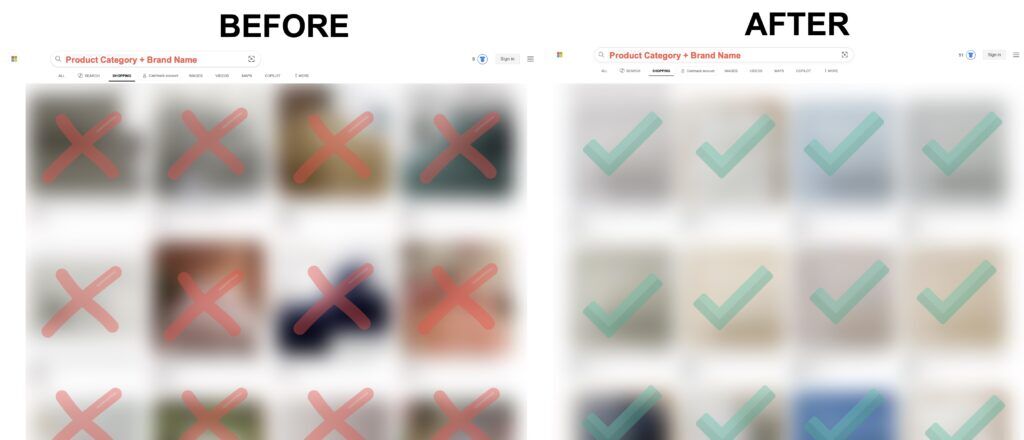
When doing testing within Google’s free listing results, this approach (to always search with the brand name) is the clearest sign for whether Google’s Shopping Graph has your products within their systems or not. The same approach works for Bing, where you’re able to clearly see whether your products have been enabled.
While Microsoft’s documentation for product listings was last updated only last month, it still feels heavily outdated (it links to a 404 in the prominent notice at the top) and says that there is no way to exclude products from free listings, even though there’s a dedicated setting in your dashboard that allows this through the toggle shown earlier. I then also came across this forum post from November 2024 where the support specialist included this in their response:

While this forum answer confirms my theory, I’ve been repeatedly told by internal team members at Microsoft that running ads isn’t a requirement to show within free listings. This is, however, quite a nuanced conversation to have, and I haven’t been able to have it with someone who is heavily involved in the organic space at Bing, but the fact that a support specialist spelled this out not even 2 years ago does make me think that there is more to it.
Interestingly, the reason why I came across the above support forum was that there was a flag on the account as a ‘Store issue’ related ‘100% of offers in this store are not targeted’, which essentially means that ads aren’t running. So what I’m wondering is, because this is a ‘Store issue’ that impacts the entire site, if this is the indirect way that Microsoft is forcing site owners to enable ads in order to be eligible for free listings.
Other Considerations
As a follow-up to my experimentation with both Google and Bing free listings, it would be interesting to complete similar testing directly with ChatGPT now that OpenAI have introduced the ability to create ad campaigns based on product feeds. The documentation from OpenAI suggests that while they don’t currently have the ability for product feeds to be used for organic results within the beta, it may be offered as an option in the future, which would mean that there would then be the same ability to run a similar experiment with ChatGPT results as I have done with the Bing Shopping tab.
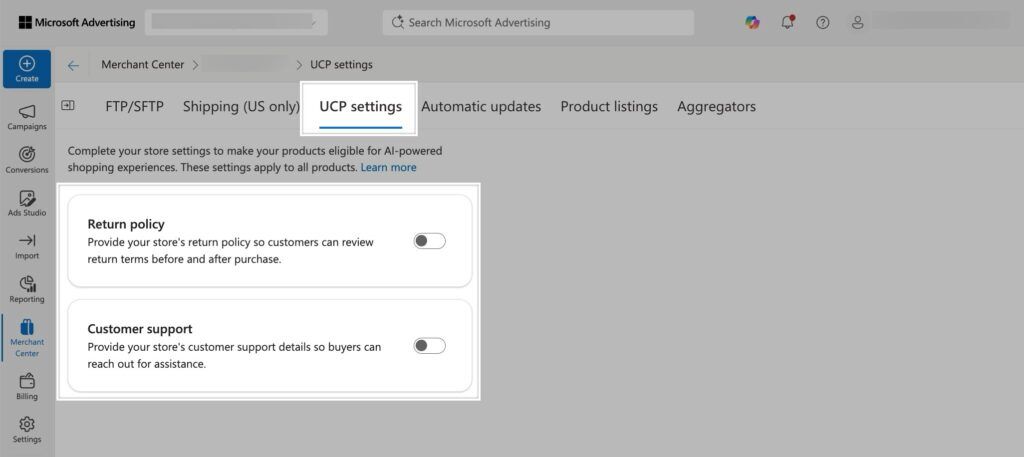
UCP (Universal Commerce Protocol) is another related topic to free listings that I’ve been writing about a lot recently. Within some of my US-based Microsoft Merchant Center accounts, I’m now seeing a dedicated ‘UCP settings’ section, which will be interesting to experiment with and that apparently makes products eligible for AI-powered shopping experiences. At the moment, the settings section only has a toggle for both the returns policy and customer support details, which are all default sections for accounts within Google Merchant Center.
Special mention to Jahn Sapanlay from Havas Media Network, who asked me at an SEO conference about whether I had looked into Bing product feeds in much depth. I realised that I didn’t have a good answer to his questions, so I decided to spend the time investigating Microsoft Merchant Center to get a better understanding of how it operates.
Source link